Custrax

An operational platform built from the ground up for order and field-service workflows.

Project
Client Work
Type
Custom operations platform
Delivery
Full application development
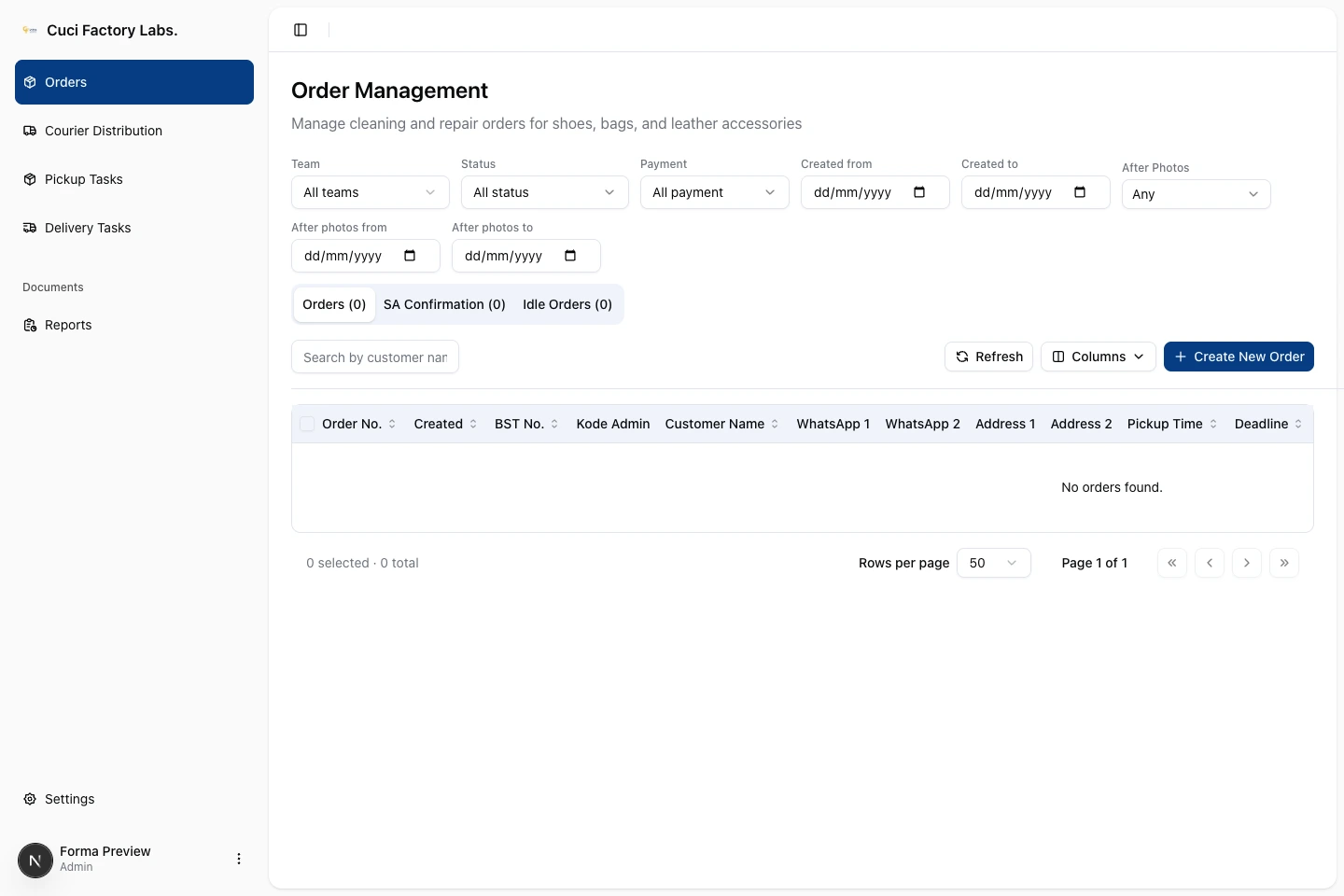
Custrax Order Management interface with team, status, payment and date filters, order tabs, pickup and delivery navigation, and an empty order table.
01 / The operational workspaceOriginal product screen · Customer records are not shown.Open full-size screen

One order.
Several items and handoffs.

Custrax supports cleaning and repair operations for shoes, bags and leather accessories. A service advisor records an order and its individual items; couriers collect and return the goods; a coordinator assigns the courier work.

The application has to keep those records connected while allowing items to move separately. The collected items can change during pickup. Each item has its own treatments and agreed prices. A delivery may contain only part of an order.

That makes the operational requirement more specific than tracking a single order status: the system needs to preserve which items were collected, what service was agreed, and which goods belong to each delivery.

The workspace and
the rules behind it.

We built Custrax end to end, from the ground up: frontend, backend, APIs, database and business logic.

Working with
service items
The frontend provides order and item details, treatment pricing, service confirmation and courier queues. Staff can inspect the contents of an order rather than treating it as a single delivery record.
Checking each
handoff
The backend and APIs validate the selected items before assigning a delivery: they must belong to that order, be active and be ready. Successful assignment saves the batch, its item links, item states and a history event in one database transaction.
Keeping the
records connected
The data model separates orders, service items and treatment entries. Delivery assignments link back to specific items; confirmation records hold the customer’s decision, payment details and generated documents.

From collection
to a completed delivery.

The internal-courier path connects the service advisor, coordinator and courier around the same order and its items.

Simplified internal-courier workflow, based on the application implementation. Order status and item delivery state are separate. Drop-offs and external-carrier handovers follow different routes.
  1. Service advisor

    Record the order

    Record the customer, collection details, service items and their treatments.

    Order: pending

  2. Courier

    Complete pickup

    Record what was collected, including item changes and pickup photos. A successful pickup opens the confirmation work.

    Order: in process

  3. Service advisor

    Confirm the service

    For serviced items, record customer agreement, inspection photos and payment details. Generate the confirmation document.

    Order: confirmed

  4. Service advisor

    Release selected items

    Send a selection of items to the internal delivery queue. Other items can remain on the same order.

    Item: ready

  5. Courier coordinator

    Assign a delivery

    Link the ready items to a courier assignment. The assignment records exactly which items are in that batch.

    Item: assigned

  6. Courier

    Record delivery proof

    Complete that assignment with a proof photo. The order becomes delivered when no active items remain undelivered.

    Item: delivered

If delivery fails: the courier records proof, a reason and notes. The failed assignment is retained, and its assigned items return to ready for reassignment; the order status stays unchanged.

What belongs to the order.
What goes on the delivery.

The order workspace separates the main order list from service-advisor confirmation work, with filters for team, status, payment and dates. The detail views below show the item-level information behind those lists.

These are captures of the actual frontend running locally with fictional sample records. The product’s original Cuci Factory Labs branding and interface language are retained.

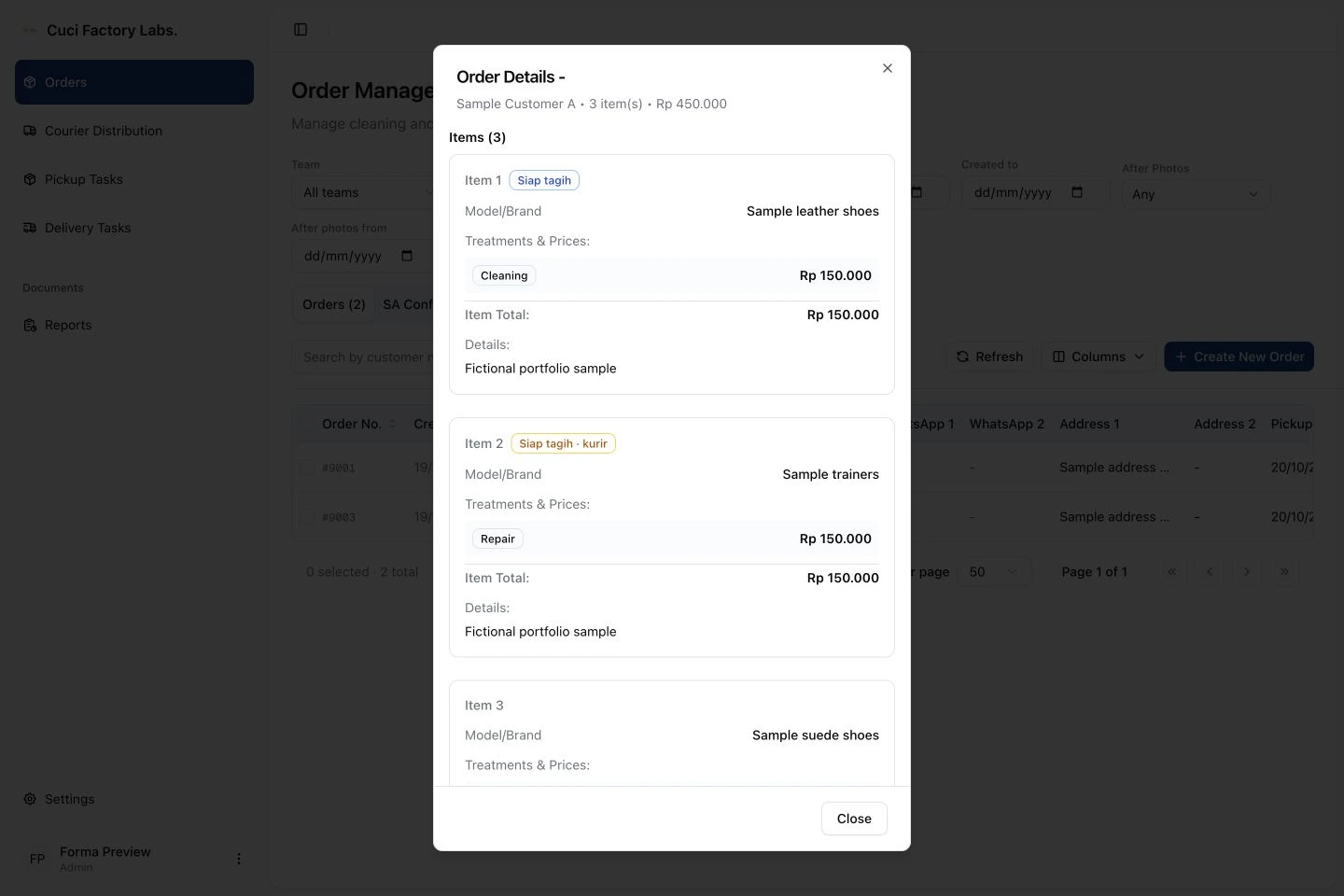
Review the service item by item.

The order detail view brings together the goods, treatment names and agreed prices. In this sample, three items belong to one order, with different delivery states.

Actual Custrax order-detail dialog with fictional Sample Customer A, individual shoe items, Cleaning and Repair treatments, prices and different item states.
02 / Order item detailsLocal product capture with sample data.Open full-size screen

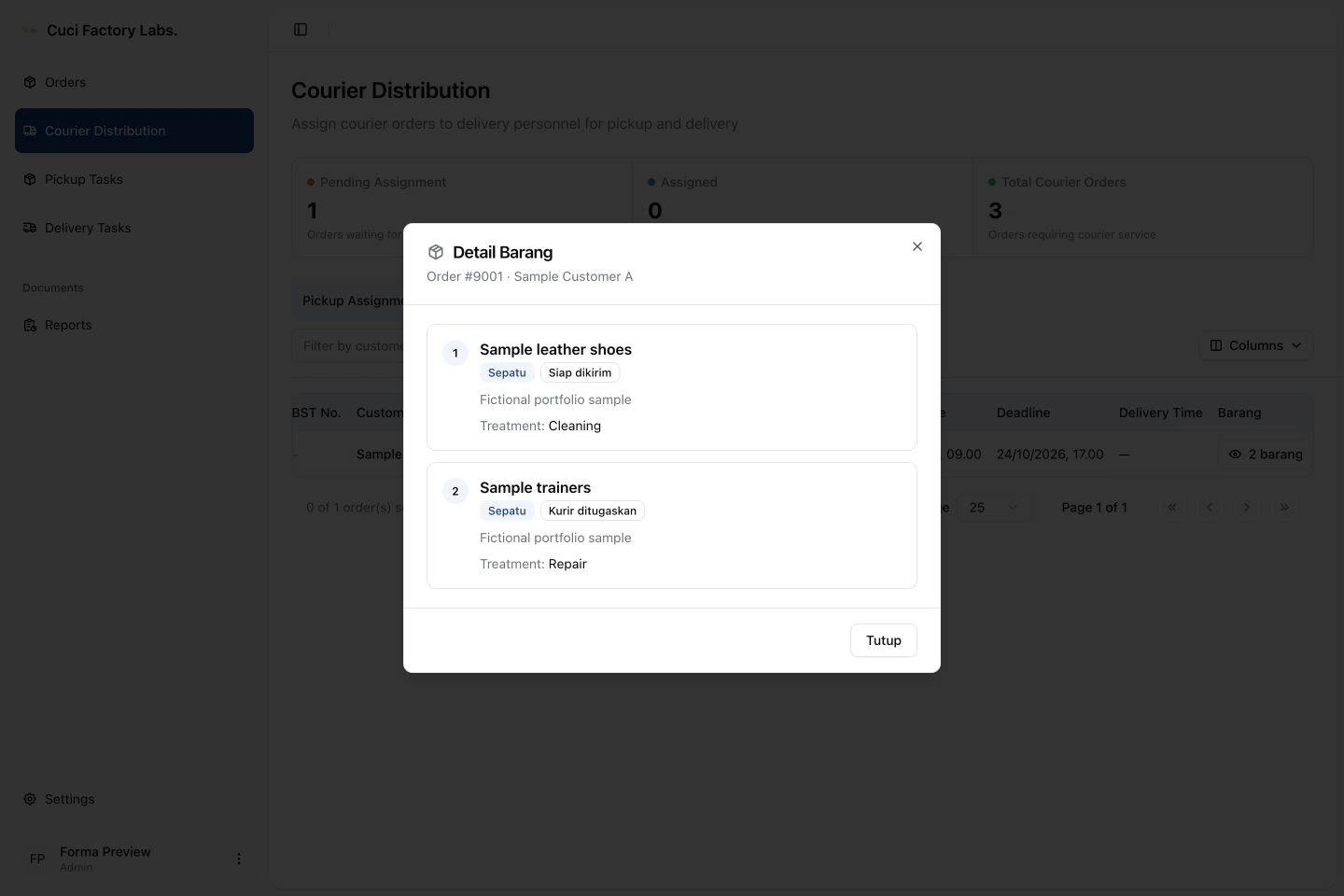
See the items in the delivery queue.

The coordinator’s item-detail view shows goods that are ready or already assigned to a courier. It lists two of the sample order’s three items; the item that has not been released is left out.

Actual Custrax delivery-item dialog showing fictional leather shoes ready for delivery and trainers assigned to a courier, with each item’s treatment.
03 / Delivery item detailsLocal product capture with sample data.Open full-size screen

Two decisions that
shape the operation.

Track delivery against items, not only orders.

An order can contain goods that are not ready to leave together. Custrax stores a delivery state on each item and links each courier assignment to the selected items, allowing several delivery batches to belong to one order.

Completing a batch marks its items delivered. The backend closes the order only when no active items remain undelivered. On the last internal-courier batch of a 50% deposit order, it also requires final-payment proof. A partial delivery therefore does not stand in for completion of the whole order.

Prepare the document before confirming the order.

For a normal service confirmation, the backend checks customer agreement, inspection photos and payment details. It generates and uploads the confirmation document before committing the confirmed status, document reference and history event together.

Document generation and upload run outside that database transaction. If either fails, the action returns an error before changing the order to confirmed. This keeps the confirmation handoff tied to a document that was successfully produced.

An application for
the complete service record.

Custrax lets the team record service orders and treatments, reconcile the items collected at pickup, document customer confirmation, and dispatch selected goods in separate delivery batches.

Delivery proof, failed attempts and status history stay connected to the order. Staff can distinguish goods still awaiting release from those assigned or delivered, while an order remains open until its active items have been delivered.

Back to selected work